
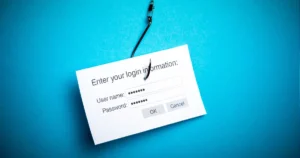
In today’s increasingly digital world, cybersecurity has become a vital concern for individuals and organizations alike. One of the most prevalent and dangerous threats is phishing. This online scam continues to grow in sophistication, preying on unsuspecting victims by tricking them into revealing sensitive information such as passwords, financial details, and personal data. Understanding what phishing is and how to protect yourself is crucial in maintaining online safety.
What is Phishing?
Phishing is a type of cyberattack in which criminals impersonate legitimate entities to deceive individuals into divulging sensitive information. This is typically done through emails, text messages, or fake websites that appear authentic. Phishing attacks can lead to identity theft, financial loss, and compromised accounts.
How Phishing Works
Cybercriminals use various tactics to carry out phishing attacks, but the basic process generally follows these steps:
- The Bait: An email or message is sent, typically mimicking a reputable company, bank, or online service. The message may create a sense of urgency, such as claiming your account is at risk or offering a limited-time deal.
- The Hook: The email usually contains a link or attachment. If the victim clicks the link, they are directed to a fake website that looks similar to the legitimate one. The site will ask for personal information, like login credentials, credit card numbers, or social security numbers.
- The Catch: Once the victim enters their information, it is sent directly to the attacker, who can then use it for fraudulent activities such as unauthorized account access, financial theft, or identity fraud.
Types of Attacks
Phishing attacks come in several forms, each targeting victims in different ways. Understanding these types can help you identify and avoid them:
- Email Phishing: The most common form, where attackers send out mass emails that appear to be from trusted sources. These emails often contain malicious links or attachments.
- Spear Phishing: This is a more targeted form of phishing. Attackers focus on a specific individual or organization, often using personal information to make the scam appear more credible.
- Whaling: A type of attack that targets high-profile individuals such as executives or government officials. The goal is usually to gain access to sensitive corporate or national security information.
- Smishing: Phishing via SMS or text messages. Attackers send texts that contain links to fake websites or malware.
- Vishing: Phishing attacks conducted over the phone, where attackers impersonate legitimate entities and attempt to extract sensitive information by voice.
Common Phishing Techniques
Phishing attacks rely on a variety of psychological tricks and technical methods to deceive victims. Some common techniques include:
- Impersonation: Pretending to be a well-known company or trusted individual, such as your bank or a friend.
- Sense of Urgency: Convincing the victim that immediate action is needed, such as resetting a password or confirming account details.
- Spoofed Links: Including links that appear to be legitimate but actually direct the victim to a fake website.
- Malicious Attachments: Attaching files that, when opened, install malware on the victim’s device.
How to Identify a Phishing Attack
While phishing attacks are becoming more sophisticated, there are still several signs that can help you recognize and avoid them:
- Unusual Sender Address: The email may come from an address that looks suspicious or slightly altered (e.g., [name]@gmall.com instead of [name]@gmail.com).
- Generic Greetings: Phishing emails often begin with general salutations like “Dear Customer” instead of addressing you by name.
- Spelling and Grammar Errors: Many phishing emails contain typos or awkward phrasing, which can be a red flag.
- Unexpected Requests: Be cautious if the message asks for sensitive information, especially if you weren’t expecting it.
- Suspicious Links: Hover your mouse over any links (without clicking) to see if the URL matches the website it claims to be from. If it looks suspicious, don’t click.
- Unsolicited Attachments: Be wary of opening attachments from unknown or unexpected sources.
How to Protect Yourself
Prevention is key when it comes to phishing. Here are some steps you can take to protect yourself and your information:
- Enable Two-Factor Authentication (2FA): This adds an extra layer of security to your accounts. Even if your password is compromised, a second form of verification is required to access your account.
- Use Strong Passwords: Use complex passwords and change them regularly. Consider using a password manager to generate and store secure passwords.
- Install Security Software: Antivirus and anti-malware software can detect and block phishing attempts. Keep your software updated to protect against new threats.
- Verify Before Clicking: Always double-check the sender and content of unexpected emails or messages. If in doubt, contact the company or individual directly using verified contact information. Use the PhishGuard verification assistance to help.
- Look for HTTPS: When entering sensitive information online, ensure the website URL starts with “https” and shows a padlock symbol, indicating a secure connection.
- Educate Yourself and Others: Phishing awareness is one of the most effective defenses. Regularly educate yourself and your employees about the latest phishing tactics.
What to Do If You’ve Fallen for a Phishing Scam
If you suspect you’ve fallen victim to a phishing attack, take immediate action to minimize damage:
- Change Your Passwords: Immediately change passwords for any accounts that may have been compromised.
- Contact Financial Institutions: If financial information was shared, contact your bank or credit card company to monitor and report suspicious activity.
- Enable Account Alerts: Set up alerts for unusual account activity, such as login attempts from unknown locations.
- Report the Incident: Report the email or message to your IT department, email provider, or relevant authority like the FTC.
Conclusion
Phishing remains one of the most dangerous and widespread cybersecurity threats, but with awareness and caution, you can significantly reduce your risk of falling victim. By recognizing these malicious attempts, using security tools like PhishGuard, and staying informed, you can safeguard your personal and financial information from online scams. Remember, when in doubt, don’t click!
PhishGuard is available for Chrome and Edge.
Key Takeaways:
- Phishing is a cyberattack designed to steal sensitive information by impersonating legitimate entities.
- Various types of phishing include email phishing, spear phishing, whaling, smishing, and vishing.
- Protect yourself by recognizing warning signs, enabling two-factor authentication, and using strong passwords.


